Driving a Unity Humanoid Avatar with MediaPipe, No Depth Camera Required
A webcam, Unity Sentis, and Quaternion.FromToRotation.
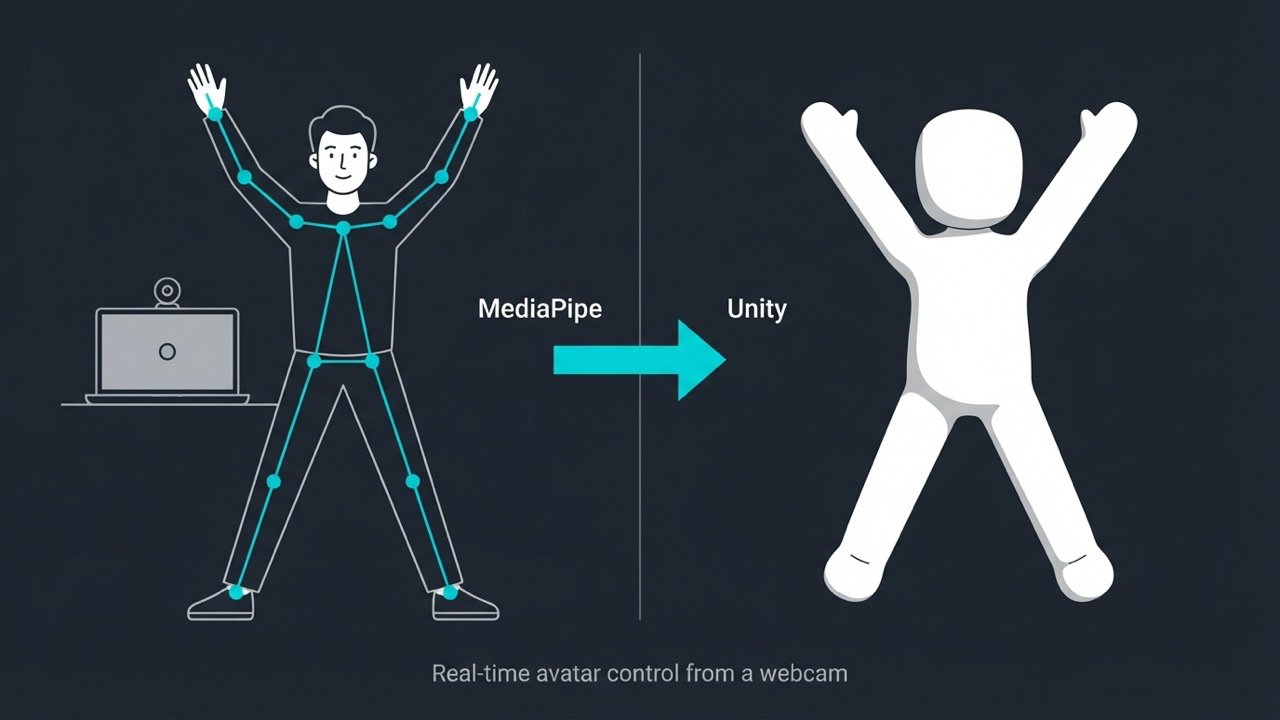
MediaPipe’s pose model returns 33 landmarks per frame, each with a 3D world-space position relative to the hip midpoint, not just a 2D screen coordinate. Most Unity integrations stop at drawing those points as debug spheres. This one retargets them onto a full Humanoid Animator in real time, running entirely on-device through Sentis. No server, no native plugin, no motion capture suit.
Code, setup, and the full architecture are on GitHub. This post covers the retargeting approach and how to get it running.
The retargeting approach
A Humanoid Animator is a bone hierarchy: each bone only knows its own local rotation, and a child bone’s world rotation depends on every parent above it. MediaPipe gives you 33 points in space, not rotations, so the core problem is converting position deltas into per-bone quaternions without the chain drifting or twisting into an impossible configuration as the subject turns.
The approach here works per bone, independently, using direction vectors instead of positions directly:
- For a joint pair (shoulder → elbow, say), subtract the two landmark positions to get a direction vector for that bone, every frame.
- Capture the same direction vector once, during calibration, while the subject is in a known reference pose. This is
initialDir. - At runtime, compute
Quaternion.FromToRotation(initialDir, currentDir)and apply it on top of the bone’s calibrated initial rotation.
Repeated independently for every major joint pair (shoulder–elbow, elbow–wrist, hip–knee, knee–ankle), this needs no explicit knowledge of the kinematic chain. Each bone only reads its own two landmarks. Unity’s own Animator hierarchy composes the rotations correctly because each bone’s transform is already parented under the one above it.
The spine, chest, and hip twist don’t use this in isolation, since a torso needs the bend distributed across multiple bones rather than concentrated in one. Those are blended (partial Slerp toward the tracked direction, stacked going up the chain) so the rotation reads as a torso bending, not a single joint hinging.
Calibration is where this actually breaks
The retargeting math is correct from frame one only if initialDir matches the rig’s real rest pose. Get that wrong and every subsequent frame inherits a fixed offset that looks like subtly broken tracking rather than an obvious bug.
Two calibration paths are implemented. CalibrationTimer is the live version: hold a T-pose, press a key, it captures whatever MediaPipe sees at that instant. ReferenceImageCalibrationTrigger calibrates against a static reference photo instead, via PipeServer.CalibrateFromReferenceImage, which runs a throwaway pipeline pass against the image, snapshots the result, restores live tracking state afterward, and calibrates from that. It’s the more reliable default since it doesn’t depend on a live frame being clean.
Two-stage inference, no server
MediaPipe BlazePose is a detector plus a landmark model. Both convert to ONNX and load as Sentis ModelAssets. After the first frame, the crop fed to the landmark model is derived from the previous frame’s own landmark output rather than a stale detector box or a full redetect every frame, closer to MediaPipe’s actual tracking-reuse strategy than a naive "redetect every N frames." The whole pipeline, capture, detection, landmark inference, retargeting, runs inside one Unity process.
Setup
- Clone the repo, open
UnityBlazePoseNative/in Unity 6000.0.68f1+, withcom.unity.ai.inference(Sentis) installed. - The two ONNX models aren’t committed. Download Google’s official
pose_landmarker_fulltask bundle, unzip it (it’s a plain zip), and convert both.tflitefiles withonnx2tf. Exact commands are in the README. - Drop both
.onnxfiles intoAssets/Pose Tracking/Models/, then run Tools → Pose Tracking → Build PoseTrackingRig Prefab. The committed prefab ships with empty model references since the binaries aren’t in the repo; this step rewires them by path. - Drag
PoseTrackingRig.prefabinto your scene. AddAvatar.csto any Humanoid-rigged model and assign itsAnimator. - Press Play. It calibrates automatically against the bundled reference T-pose image on start. Press
Rto recalibrate.
To use it as a dependency in another project: Tools → Pose Tracking → Export Unity Package builds a .unitypackage. It unpacks into two folders, not one, Assets/Pose Tracking/ and Assets/StreamingAssets/Models/, because Unity only treats a literal top-level StreamingAssets folder as StreamingAssets content at runtime. Nesting it inside Pose Tracking/ silently breaks the anchor-grid lookup at runtime, which is a real trap if you’re packaging your own Sentis-based tools the same way.
One coordinate gotcha
MediaPipe’s world landmarks are Y-down, Z-forward-away-from-camera. Unity is Y-up, camera looking down local +Z. PipeServer.ToUnityWorld negates both Y and Z. Skip the Z negation specifically and the avatar still looks plausible in a static pose, arms and legs land roughly where expected, but every forward/backward motion comes out mirrored: reaching toward the camera reads as reaching away from it. This one cost real debugging time before the cause was obvious, worth checking first if your own retargeting looks almost right but not quite.
Code and setup instructions: github.com/aliameenrana/mediapipe-unity-humanoid-avatar